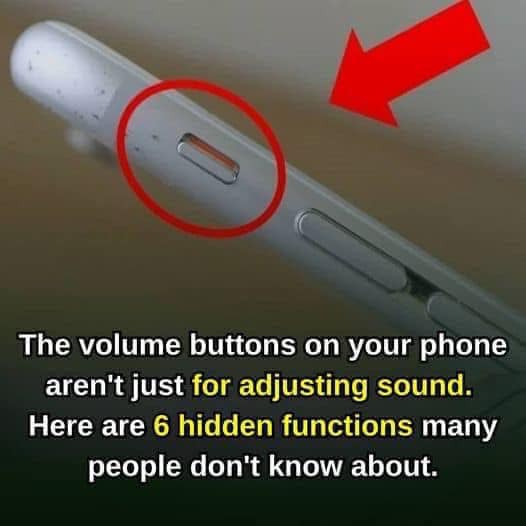
Press either volume button once.
This will silence the ringtone without rejecting the call.
The caller can continue ringing on their end, but your device becomes quiet.
6. Trigger Emergency SOS
Modern iPhones include an emergency feature called:
Emergency SOS
Depending on your model and settings, pressing and holding:
- Side Button + Volume Button
can initiate Emergency SOS options.
This feature allows users to quickly contact emergency services when needed.
It’s worth reviewing your emergency settings so you understand exactly how they work on your device.
7. Force Restart an iPhone
For newer iPhone models, the volume buttons are part of the restart process.
Typically:
- Press Volume Up
- Press Volume Down
- Press and hold the Side Button
until the Apple logo appears.
This can help if the device becomes unresponsive.
(Instructions vary slightly by model.)
8. Control Music and Audio
Although most people know volume buttons adjust sound levels, they also help manage:
- Music
- Podcasts
- Videos
- Audiobooks
without needing to unlock the phone.
Useful when:
- Driving
- Exercising
- Walking
9. Take Photos With EarPods
When using compatible wired EarPods or some headphones:
The volume controls on the headset can often act as a remote camera shutter.
This makes it easier to take:
- Group photos
- Self-portraits
- Long-exposure shots
without touching the phone.
10. Assist Accessibility Features
For users with accessibility needs, volume buttons may interact with certain features such as:
- Magnifier
- Voice Control
- Accessibility shortcuts
depending on device settings.
11. Silence Notifications Instantly
If a notification sound becomes distracting, a quick press of a volume button can often reduce or silence audio without unlocking the device.
12. Use as a Physical Shutter for Better Photography
Professional photographers often prefer physical buttons because they provide more stability.
Using the volume button instead of tapping the screen may reduce motion blur, especially in:
- Low light
- Zoomed shots
- One-handed photography
Tips for Getting the Most From Your Volume Buttons
Check Your Camera Settings
Apple occasionally changes how burst mode and volume-button functions operate between iOS versions.
Learn Emergency SOS
Understanding how Emergency SOS works before an emergency occurs is important.
Use Cases and Shortcuts
Some accessibility and automation features can customize button behavior further.
Final Thoughts
The iPhone’s volume buttons are far more powerful than they appear.
Beyond adjusting sound, they can help you:
📸 Take photos
🎥 Record videos
📄 Scan documents
⏰ Manage alarms
📞 Silence calls
🚨 Access emergency features
🔄 Restart your device
🎵 Control media
For such small buttons, they play a surprisingly large role in making the iPhone faster and easier to use every day. 📱✨